Understand complex structures
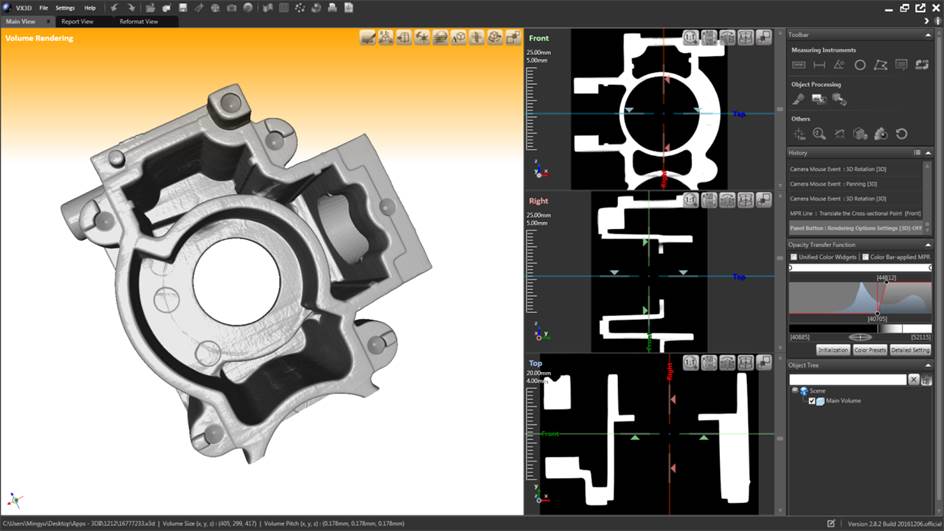
Explore the complete volume and internal sections together without losing spatial context

3D CT VISUALIZATION & ANALYSIS
VX3D brings CT volume data into one practical workspace for visualization, section review, measurement, processing, and engineering communication
01 / OVERVIEW
VX3D is 3DII's software platform for examining CT volume data from industrial components, electronics, assemblies, and research samples. Real-time rendering and coordinated section views help users understand internal structures, while measurement, filtering, alignment, and mesh tools keep the analysis in one continuous workflow
Explore the complete volume and internal sections together without losing spatial context
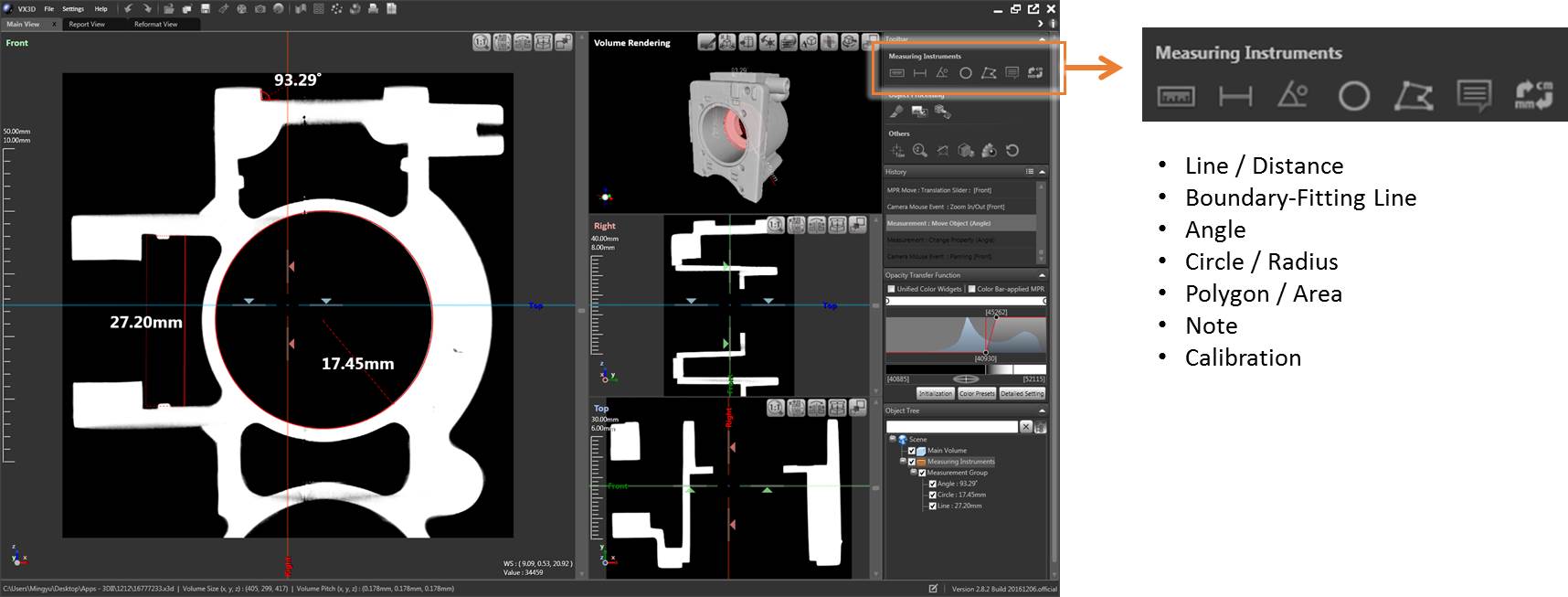
Review dimensions, angles, radii, areas, profiles, and regions directly on the data
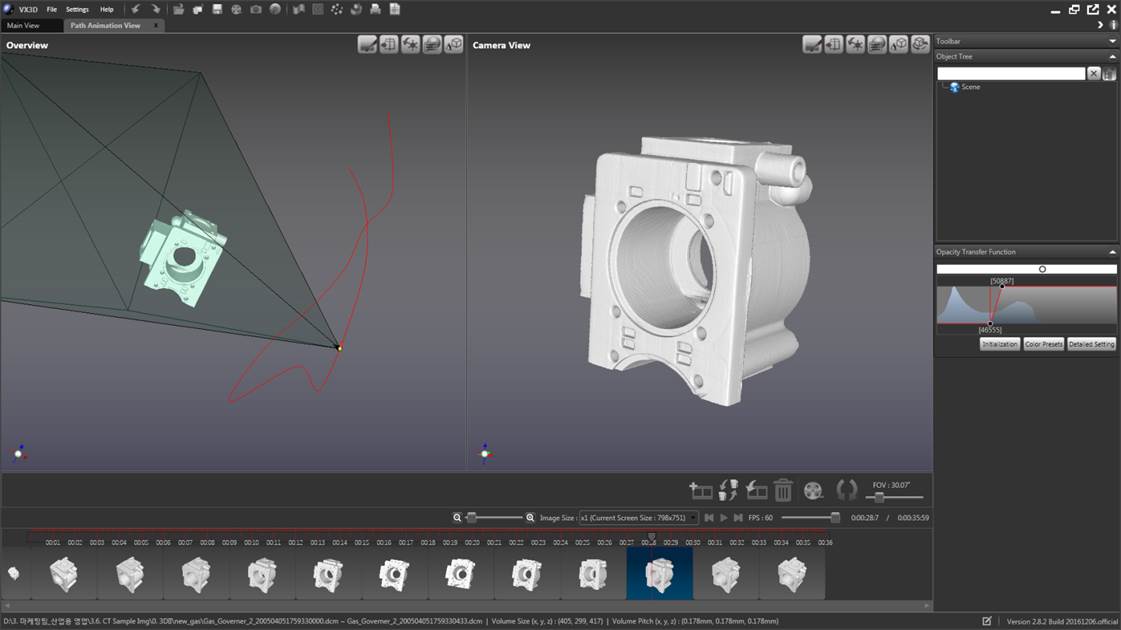
Create visual records, animations, reports, and STL data for the next engineering step
02 / CORE CAPABILITIES
Each capability supports a clear inspection task, with the image and the decision kept in the same workflow
VISUALIZATION
GPU-accelerated rendering provides an immediate 3D view of the scanned part. Rendering presets, transparency controls, and multiple view modes make both outer geometry and internal structures easier to interpret
SECTION REVIEW
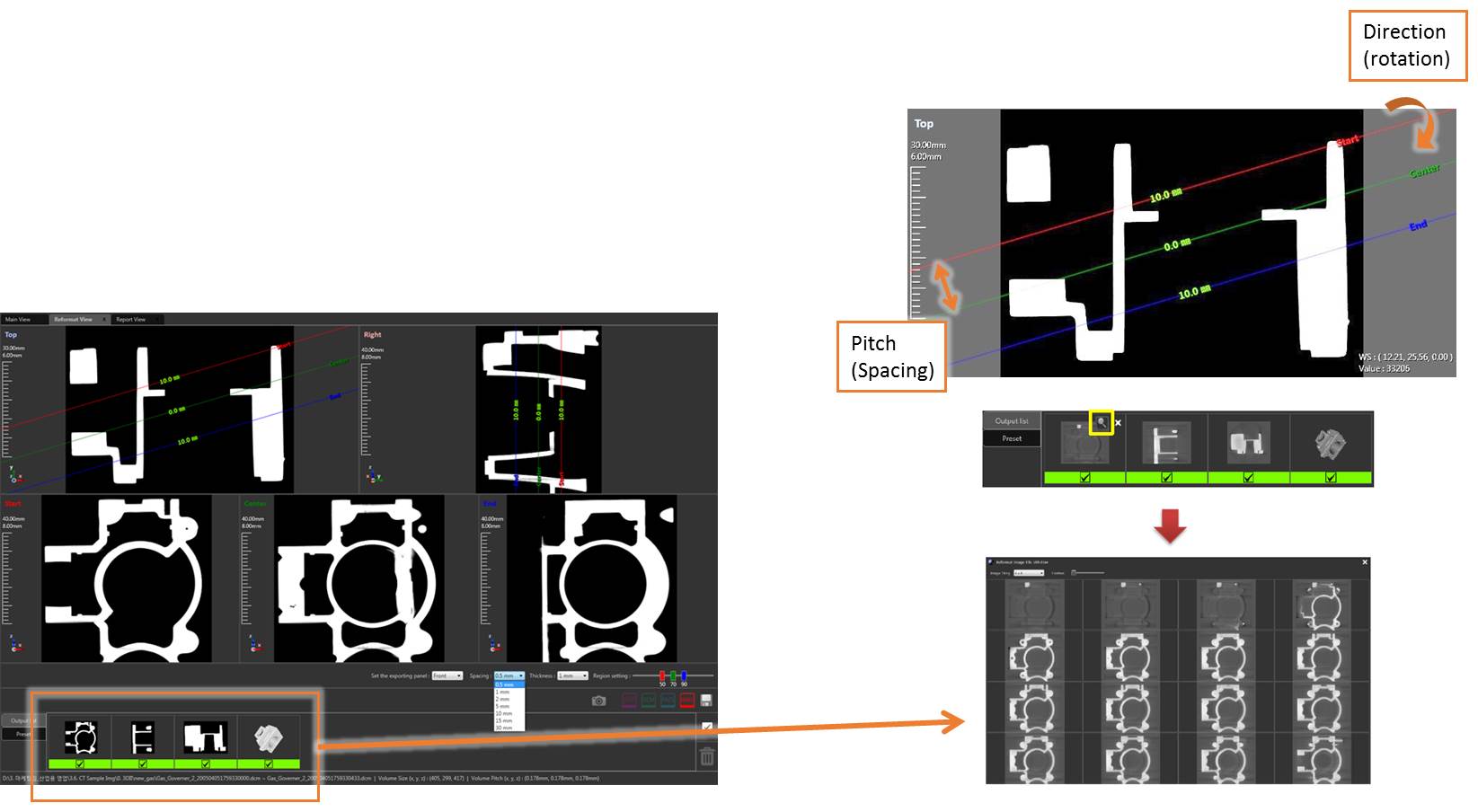
Adjust the position, pitch, and direction of sectional images to inspect the feature that matters. Panorama, tile, and report-oriented views support both detailed review and clear comparison
MEASUREMENT
Use focused measurement tools on sectional and rendered views to communicate the size, position, and shape of internal features with less ambiguity
PROCESSING & OUTPUT
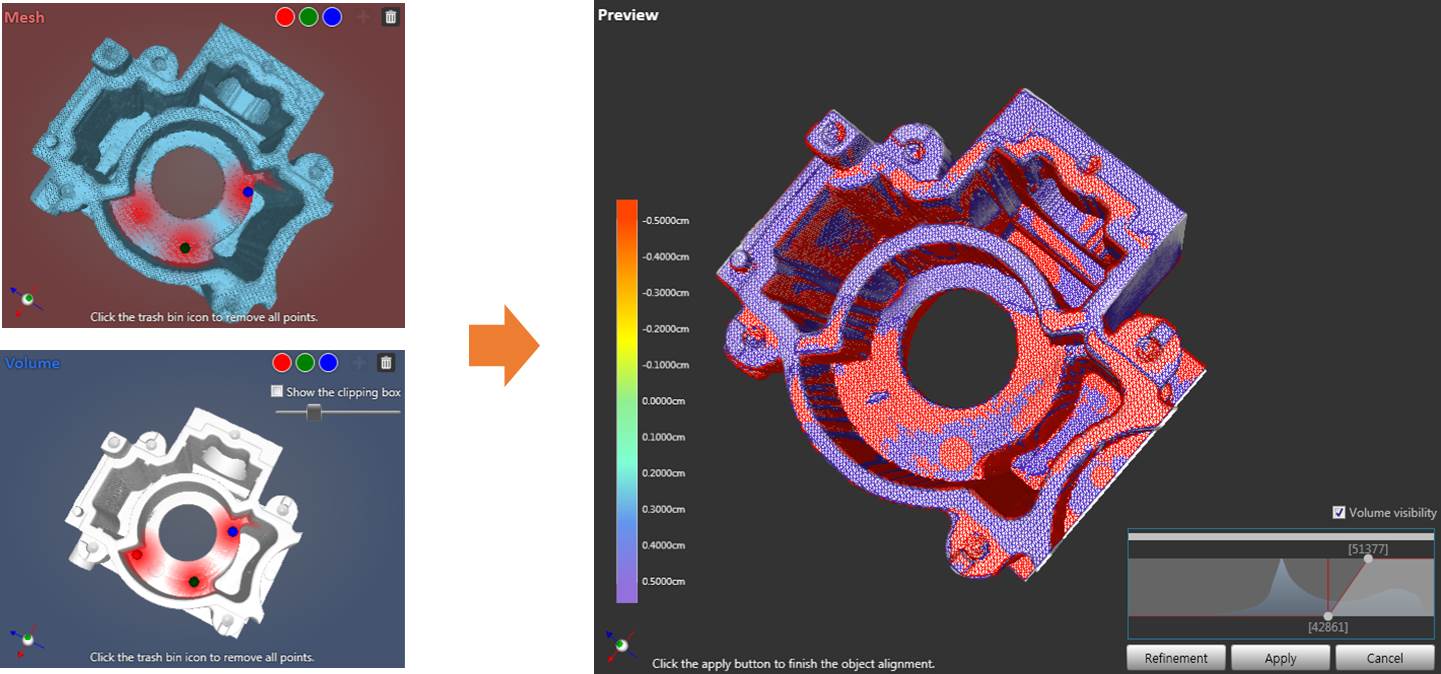
Filtering, mesh extraction, and object alignment help users clean the view, isolate the geometry, and carry useful results into CAD-supported or comparative workflows
03 / WORKFLOW
The workflow is organized around the way engineers review CT data: orient the part, inspect the region, measure the finding, and prepare an output that another team can understand
Open the reconstructed volume and restore saved project history
Render, reformat, and navigate to the internal feature of interest
Measure, filter, extract, or align the data for the inspection goal
Export images, animation, report views, or STL data as needed
04 / FUNCTION SET
Final configuration and supported data formats can be reviewed with 3DII for your scanner and operating environment
SOFTWARE DOWNLOADS
Find archived installers, product manuals, and the industrial software guide in one library. Check the version and license requirements before changing a production workstation.
Open software downloads