Support different scan geometries
Configure cone-beam, fan-beam, parallel-beam, and oblique CT reconstruction
CT RECONSTRUCTION SOFTWARE
VXRE reconstructs cone-beam, fan-beam, parallel-beam, and oblique CT data while giving engineers direct control over calibration, geometry, and artifact correction
01 / OVERVIEW
VXRE converts projection data into a 3D volume for downstream inspection. It supports multiple acquisition geometries and combines detector calibration, scan-geometry adjustment, extended-field workflows, and artifact-reduction tools in a single reconstruction environment
Configure cone-beam, fan-beam, parallel-beam, and oblique CT reconstruction
Apply detector, offset, tilt, field-of-view, and CT-value corrections before review
Improve readability with ring, metal, and beam-hardening correction tools
02 / CORE CAPABILITIES
Each capability supports a clear inspection task, with the image and the decision kept in the same workflow
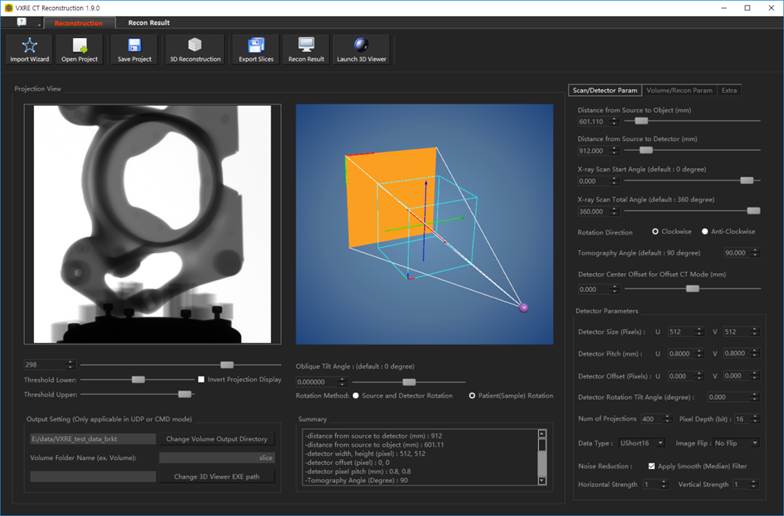
RECONSTRUCTION
A visual reconstruction setup helps users understand the relationship between detector, source, object, and rotation axis before processing the full data set
DETECTOR CALIBRATION
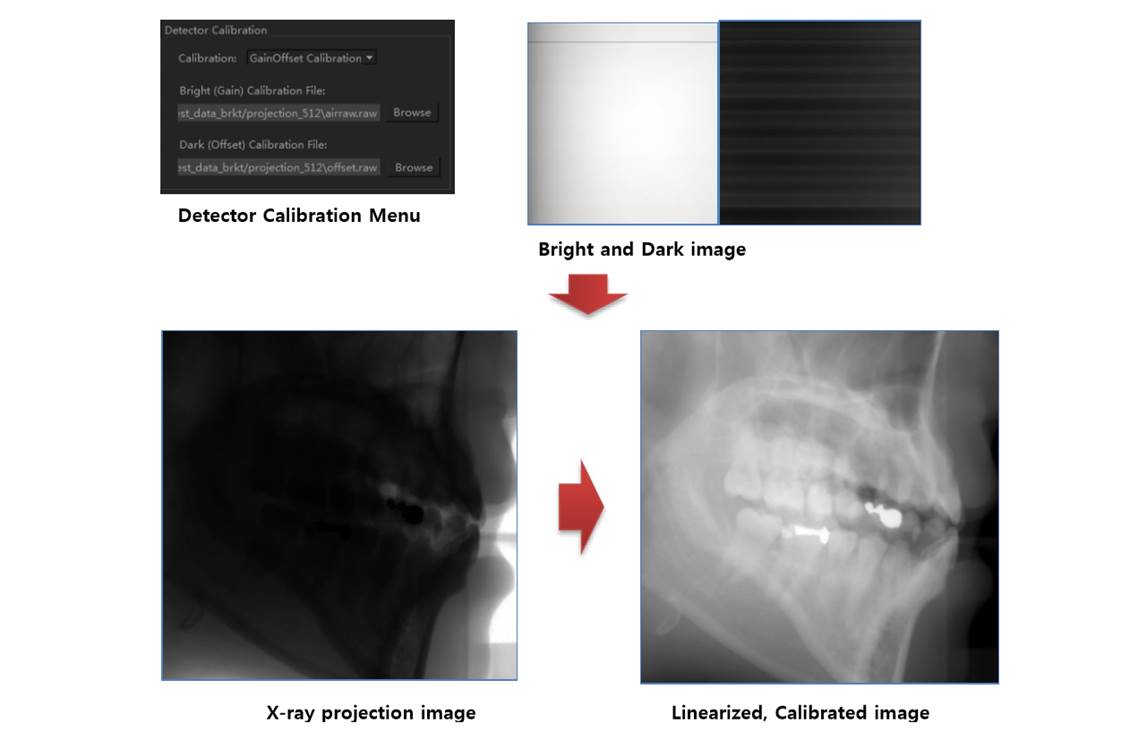
Dark- and bright-field correction compensates for detector offset and gain variation, helping projection images provide a more stable base for reconstruction
GEOMETRY & FIELD OF VIEW
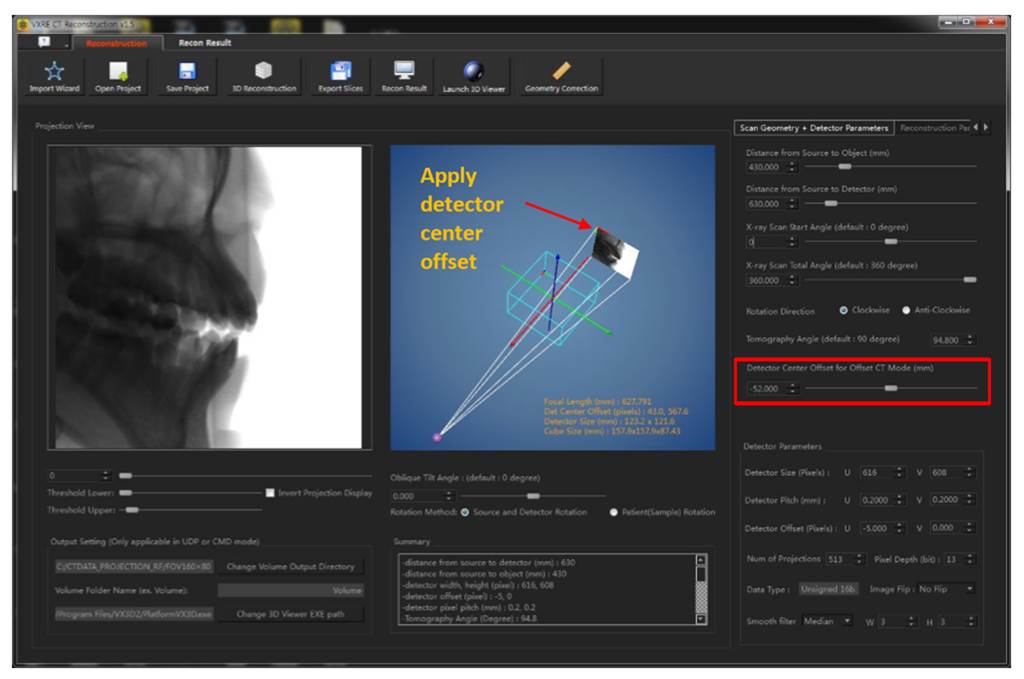
Offset CT and geometry-correction tools help accommodate parts larger than the detector field and compensate for center-offset or tilt conditions in the acquisition setup
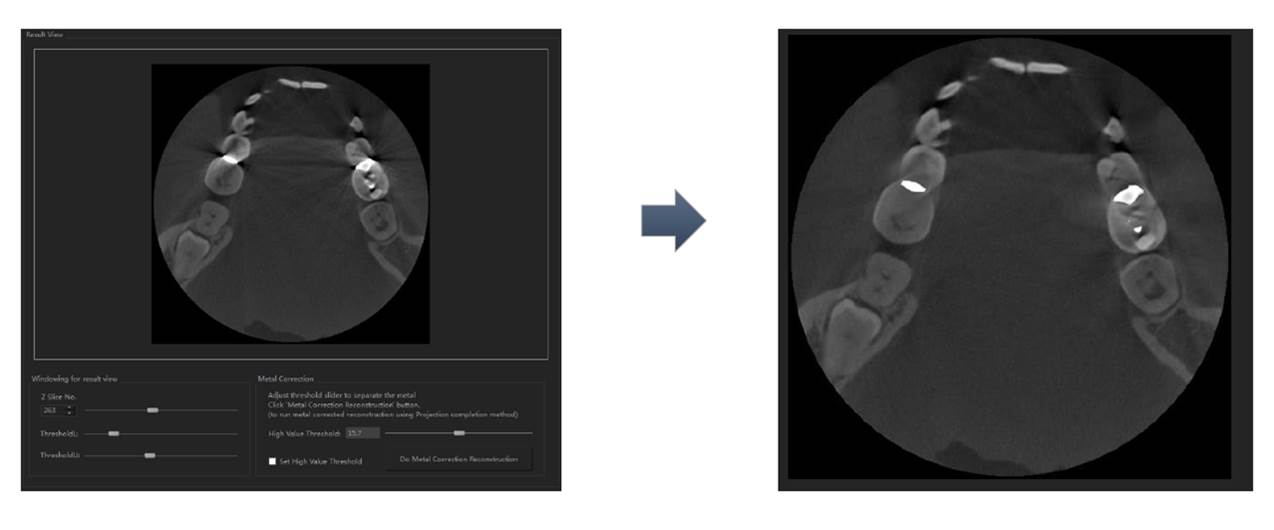
ARTIFACT REDUCTION
Correction tools target common reconstruction artifacts so that analysts can spend less time separating scan behavior from the structure of the part
03 / WORKFLOW
VXRE keeps the major reconstruction decisions together so scanner developers and inspection teams can document how a projection set became a usable volume
Load projection data and define the acquisition geometry
Apply detector correction and confirm source-object-detector relationships
Choose the reconstruction mode and use GPU-based back projection
Review artifacts and apply the corrections appropriate to the sample
04 / FUNCTION SET
Final configuration and supported data formats can be reviewed with 3DII for your scanner and operating environment
SOFTWARE DOWNLOADS
Find archived installers, product manuals, and the industrial software guide in one library. Check the version and license requirements before changing a production workstation.
Open software downloads