Detect pores efficiently
Apply focused detection settings to large CT volumes with GPU-assisted processing
3D CT POROSITY INSPECTION
VXPI is a focused VX3D add-on for detecting, reviewing, editing, and reporting gas pores from CT volume data
01 / OVERVIEW
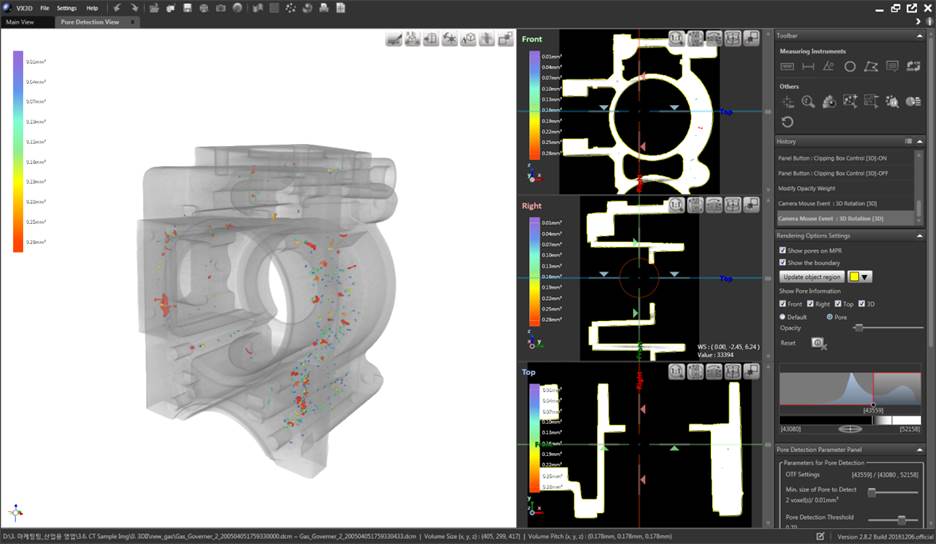
VXPI analyzes CT volumes for gas pores and presents each finding with measurable properties. Users can review the result on MPR and 3D views, correct the detected set when needed, and prepare a report for quality, process, or engineering discussions
Apply focused detection settings to large CT volumes with GPU-assisted processing
Locate pore results on coordinated MPR and 3D views before accepting the analysis
Summarize pore size, position, shape, and other metrics for downstream decisions
02 / CORE CAPABILITIES
Each capability supports a clear inspection task, with the image and the decision kept in the same workflow
DETECTION
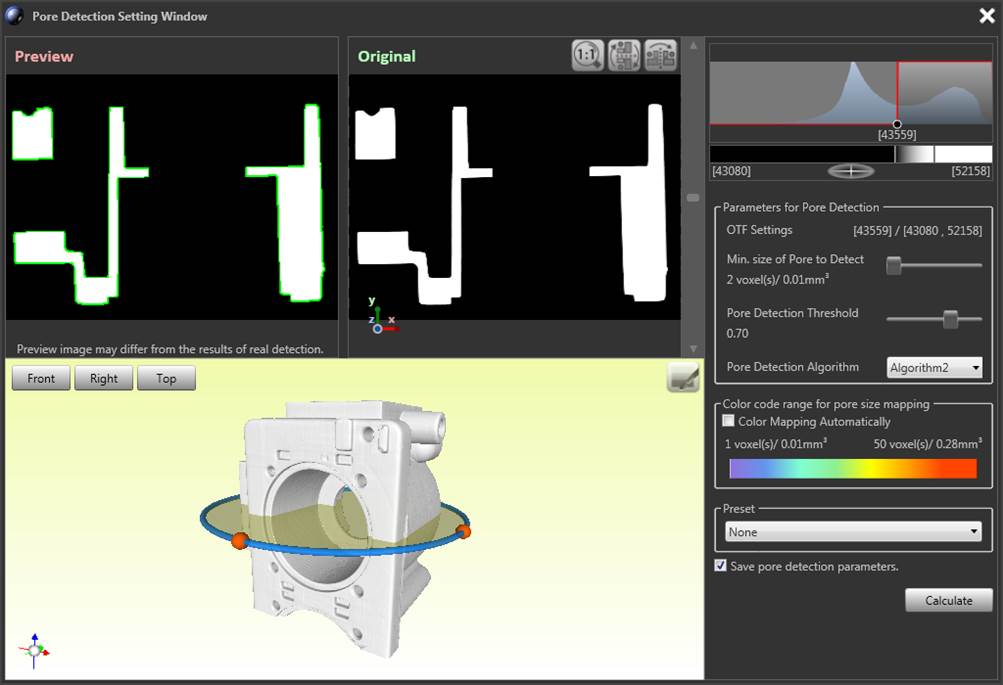
Detection parameters and preview tools let users tune the analysis to the material, voxel size, and inspection goal before calculating the full result
REPORTING
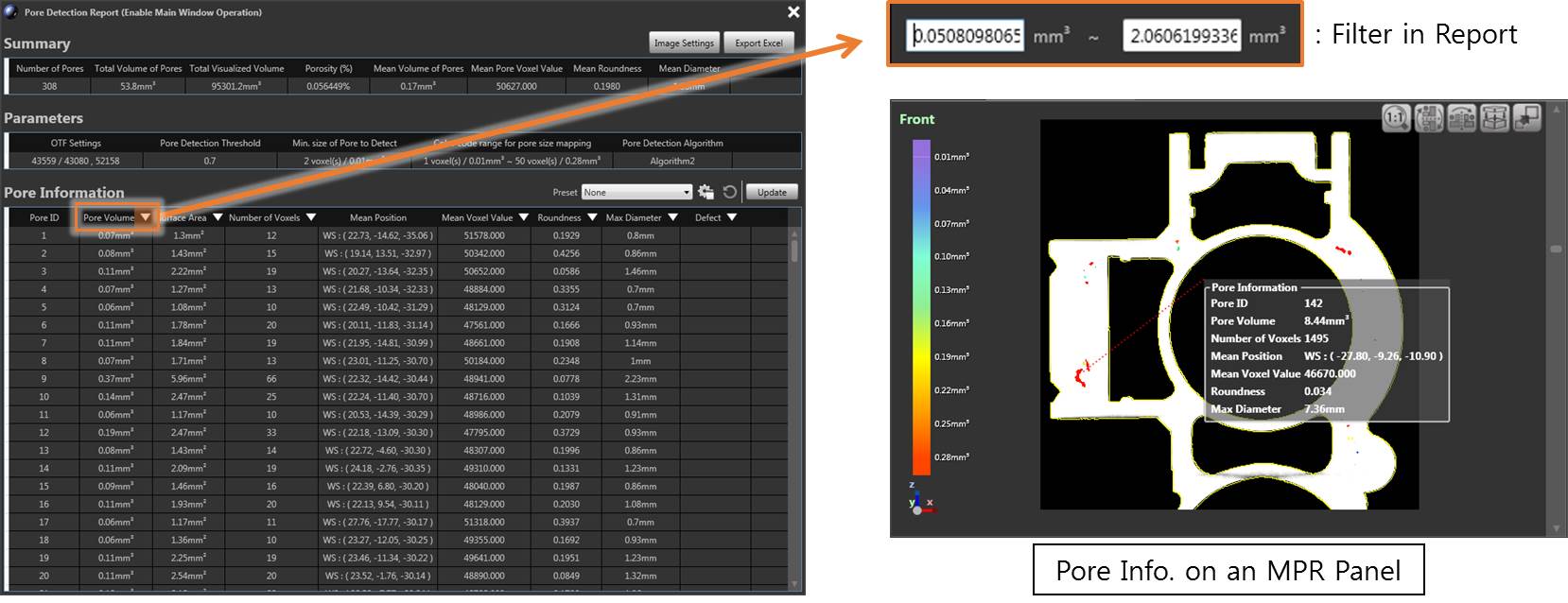
The porosity report turns detected features into a searchable list and connects the selected result to its position on the MPR view
REVIEW & EDITING
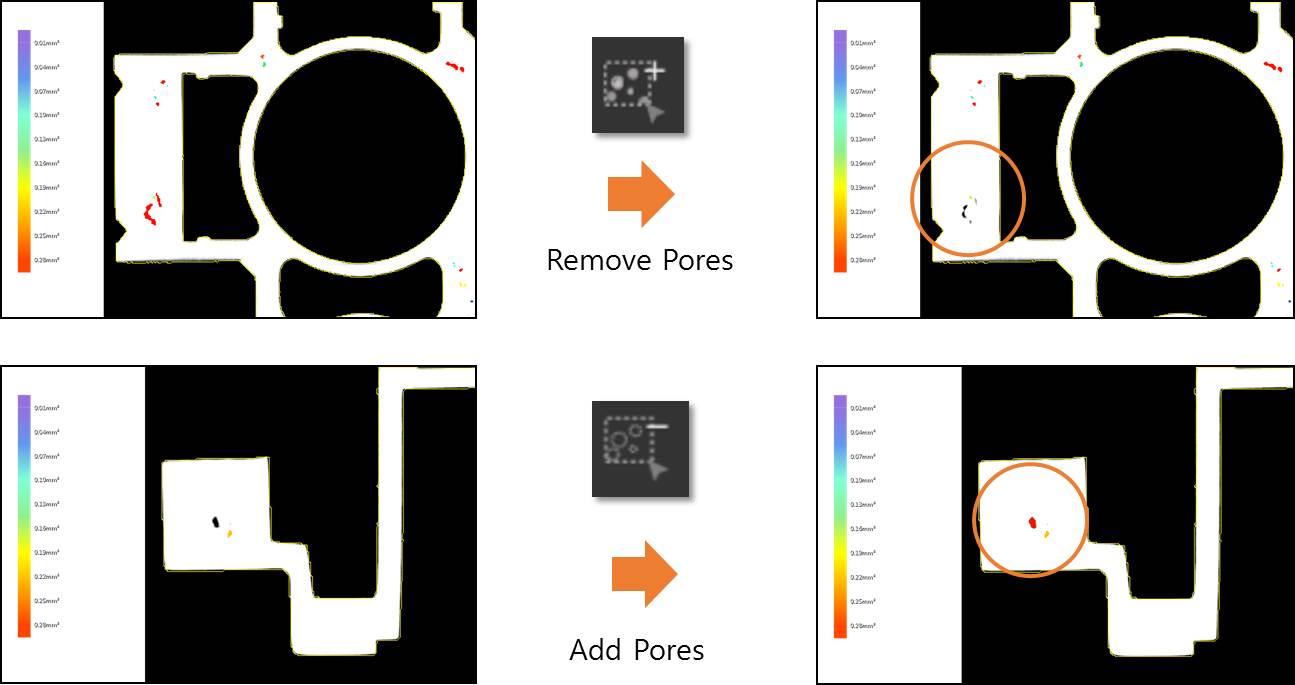
Users can add or remove pore findings in the region of interest and use size-based color mapping to see how results are distributed throughout the part
03 / WORKFLOW
The workflow keeps automated detection and engineering judgment together, giving the analyst clear checkpoints before the result is shared
Open the CT volume in VX3D and define the inspection region
Set the detection range, preview the result, and run the analysis
Review pore locations and edit the result set when appropriate
Filter the metrics and export a result for quality or process review
04 / FUNCTION SET
Final configuration and supported data formats can be reviewed with 3DII for your scanner and operating environment
SOFTWARE DOWNLOADS
Find archived installers, product manuals, and the industrial software guide in one library. Check the version and license requirements before changing a production workstation.
Open software downloads