← HADI Series2D X-RAY INSPECTION / 05—05

INLINE PCB, BGA & VOID INSPECTION

HADI-iBoardProBring the full HADI inspection set together

Combine template-based PCB, BGA, and void inspection with batch simulation, inline operation, and UDP communication in the most complete HADI configuration

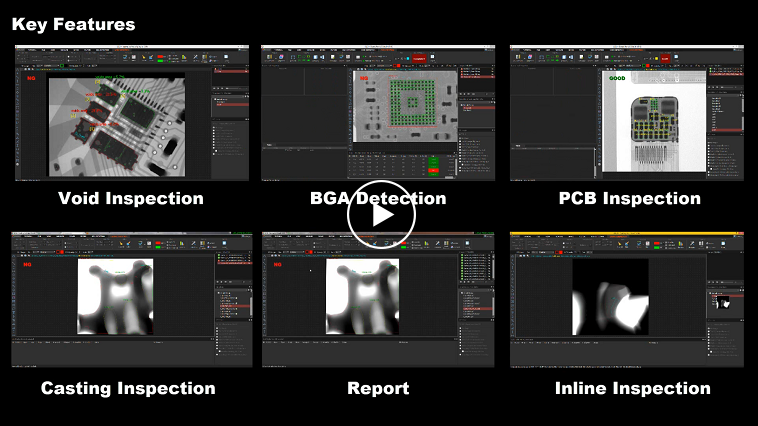
HADI software overview including void, BGA, PCB, reporting, and inline inspection
SOFTWARE VIEWHADI-iBoardPro
PRIMARY TASKInline PCB inspection
DETECTIONPCB + BGA + void
INTEGRATIONUDP communication
CONFIGURATIONFull HADI set

01 / PRODUCT FOCUS

A focused toolset for a defined inspection job

01

Full inspection coverage

Bring PCB, BGA, and void analysis into one template-based environment

02

Inline-ready workflow

Prepare inspection tasks with batch simulation before they are used in a connected process

03

Recognized software

HADI-iBoard Pro received software quality certification and ministerial recognition in 2015

02 / CAPABILITIES

See how the work comes together

The HADI interface keeps image preparation, inspection regions, results, and supporting tools in one working environment

HADI feature overview for multiple inspection tasks
iBoardPro / complete HADI feature set
01

COMPLETE TOOLSET

Use one environment for PCB, BGA, and void questions

HADI-iBoardPro combines the specialized detection functions of the HADI family with its shared image preparation, measurement, and reporting tools
  • Automated BGA detection
  • Automated and inline void inspection
  • Inline PCB inspection
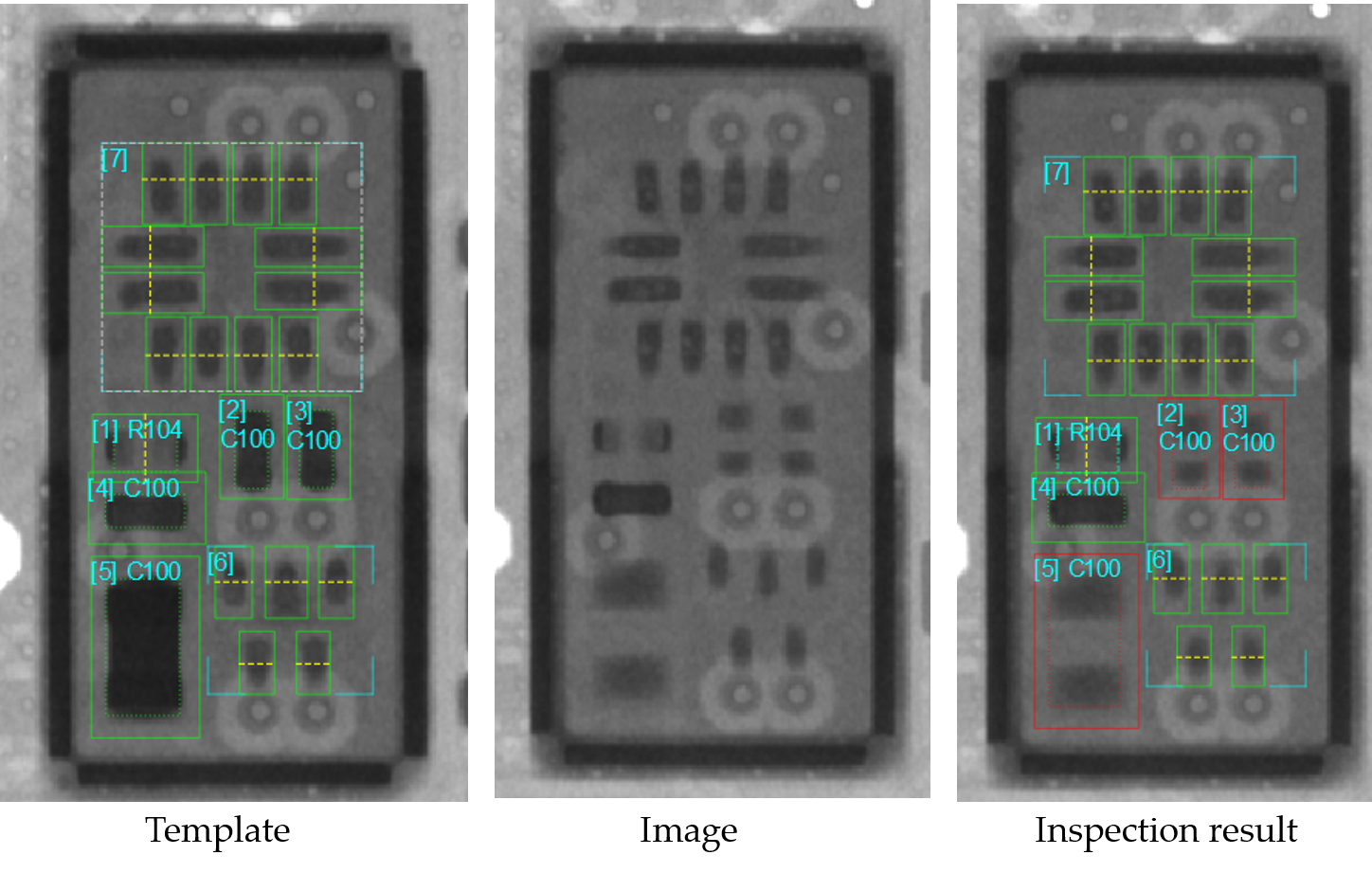
Detailed PCB inspection examples from the HADI archive
PCB inspection / detailed examples
02

PCB DEFECT REVIEW

Evaluate multiple component types with focused criteria

Use package-specific inspection regions and measurements to support consistent decisions across varied PCB assemblies
  • Standard component inspection examples
  • Package-specific criteria
  • Visual result review and reporting
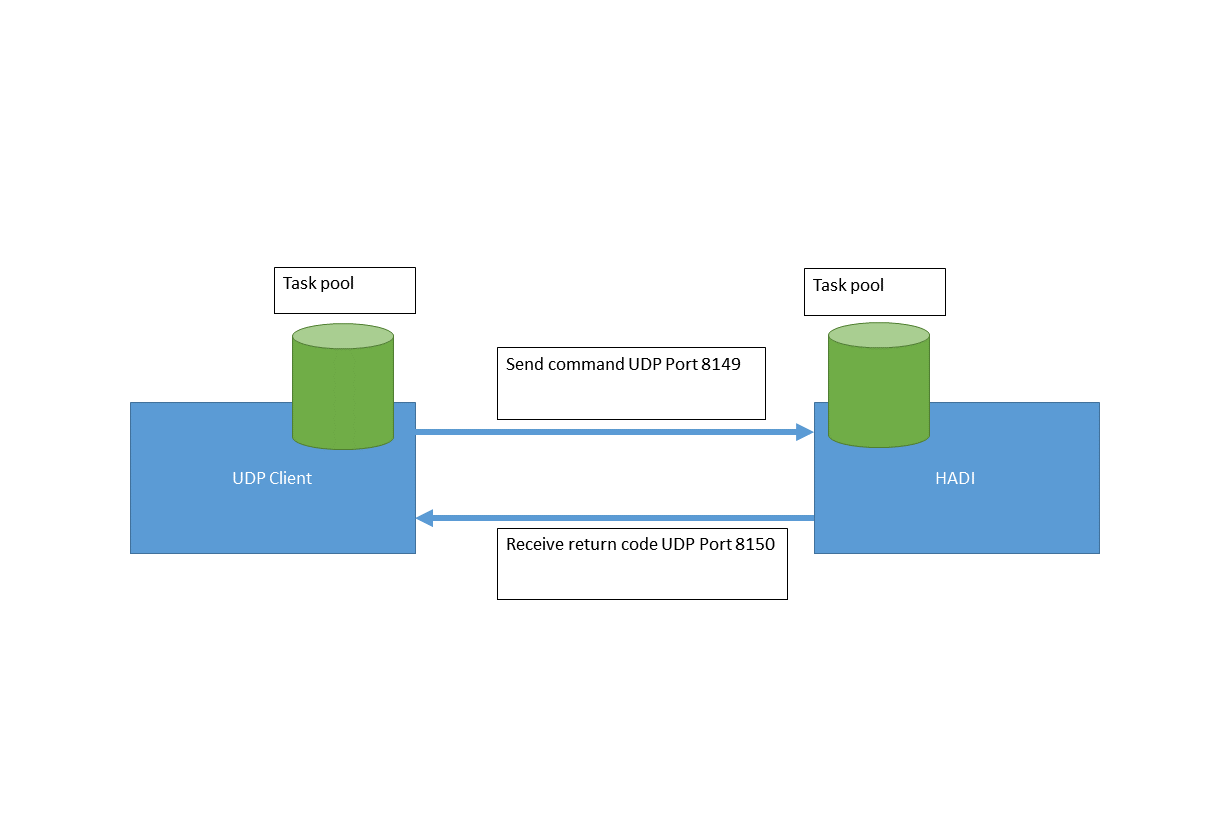
HADI UDP communication workflow for inline integration
Production integration / UDP workflow
03

INLINE INTEGRATION

Validate the template, then connect the task

Batch simulation and UDP communication provide a clear path from desktop setup to a coordinated inline inspection workflow

  • Batch processing simulation
  • UDP command and return-code exchange
  • Inline void and PCB inspection support

03 / WORKFLOW

Keep the inspection path easy to follow

  1. 01

    Teach

    Configure the complete inspection template

  2. 02

    Validate

    Test the logic with batch simulation

  3. 03

    Integrate

    Connect commands and results through UDP

  4. 04

    Operate

    Run inline PCB and void inspection

04 / SHARED HADI TOOLKIT

Core image tools included across the series

Every HADI product includes the foundational tools needed to load, prepare, measure, review, and communicate 2D X-ray images

01Image and scene import/export02Print, screen capture, and reporting03Multiple language support04Up to 21 measurement tools05Up to 14 image filters06Image calibration and alignment07Histogram and profile08Multiple-image display0916-bit image support10Image conversion11Command-line support

SOFTWARE DOWNLOADS

Ready to work with HADI-iBoardPro?

Find archived installers, product manuals, and the industrial software guide in one library. Check the version and license requirements before changing a production workstation.

Open software downloads